
Plan, assign, and track—
without the chaos.
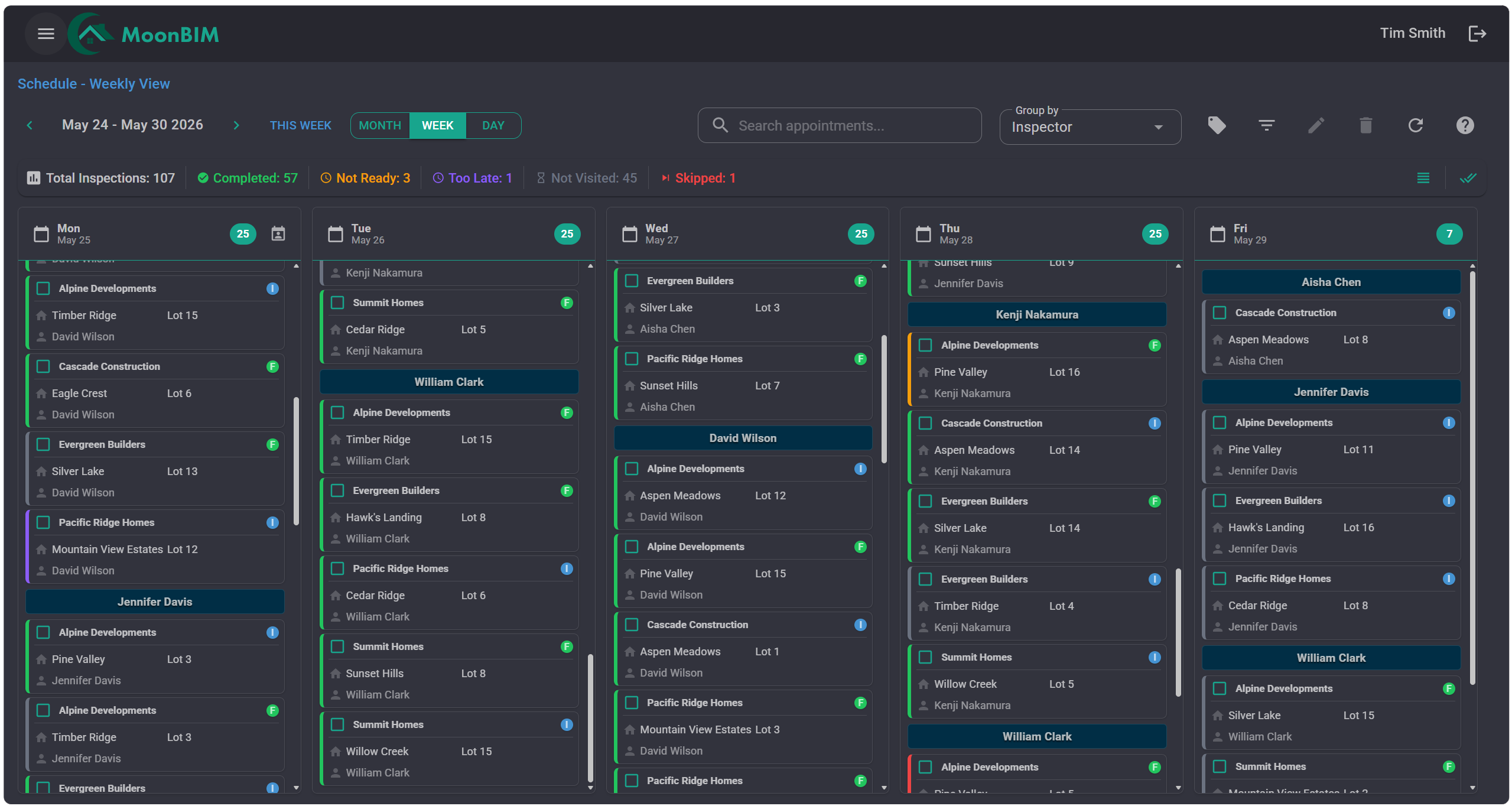
Drag-and-drop scheduling makes it effortless to assign inspections, spot calendar conflicts before they happen, and keep every team member perfectly aligned.
Scheduling features
Everything that keeps your calendar running smoothly
From the first booking to real-time updates in the field—scheduling is finally under control.
Drag-and-Drop Calendar
Assign or reschedule inspections with a single drag. The calendar updates instantly for everyone on the team.
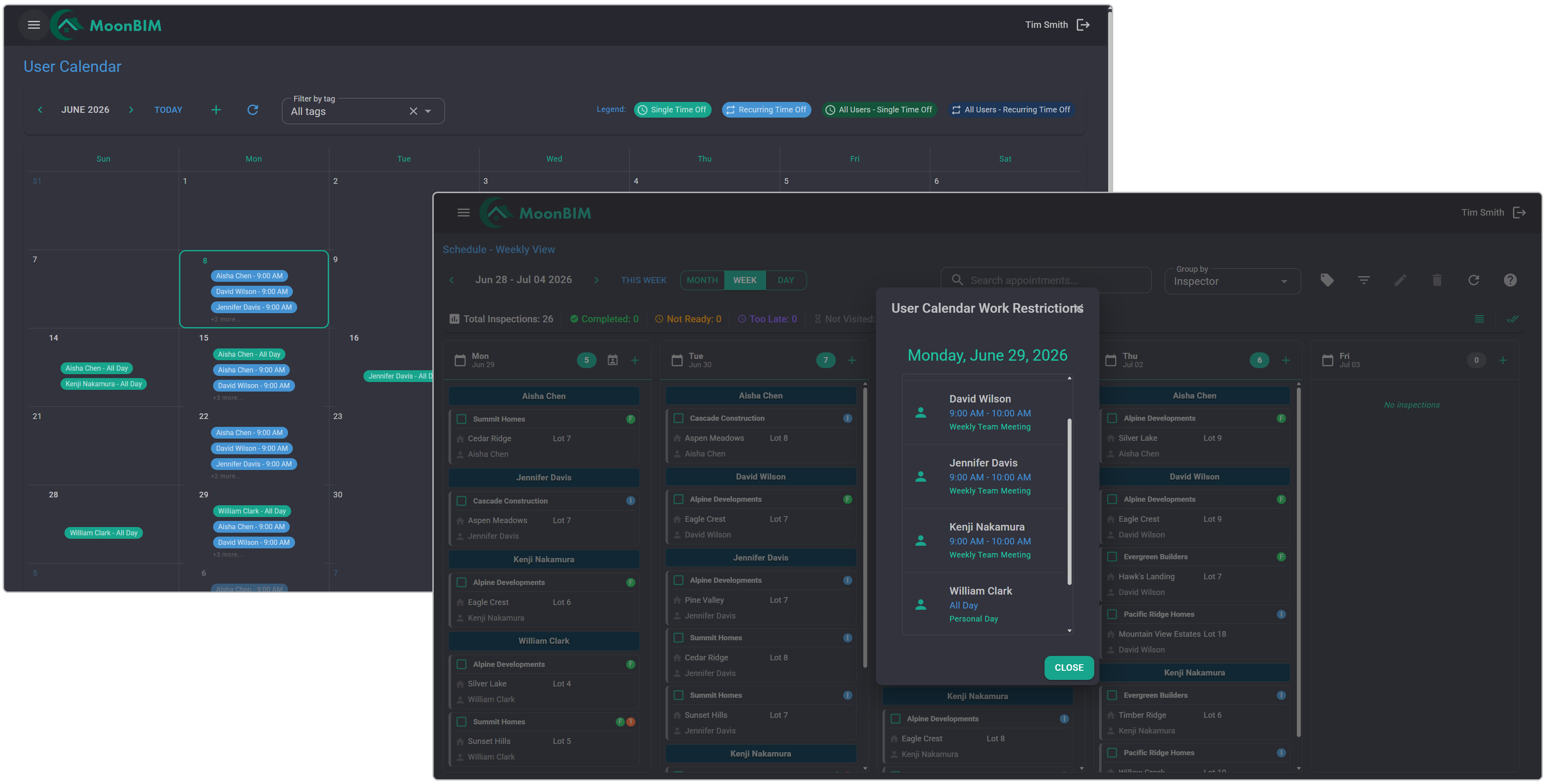
Automatic Conflict Detection
MoonBIM shows inspector availability the moment you make a change—so you can avoid scheduling conflicts before they become a problem.
Automated Reminders
Builders receive timely appointment reminders so they can confirm the scheduled inspection—reducing no-shows and last-minute cancellations.
Team-Wide Visibility
Every team member sees the same up-to-date calendar. No one is ever surprised by a change they didn’t know about.
Mobile Sync
When changes are made in the office, inspectors download their updated route on their mobile device to see the latest schedule—keeping everyone aligned.
Flexible Schedule Views
Switch between daily, weekly, or monthly views to see exactly the level of detail you need—from a single day’s assignments to a full month of workload distribution.
Stay informed
Conflicts caught before they cost you
MoonBIM checks every new booking against existing schedules and inspector availability. If there’s a conflict, you’ll know immediately—not after the inspector shows up to the wrong site.
-
Inspector availability check
Respect days off and shift constraints automatically.
-
One-click resolve
See available time slots and reassign in a single click—conflict resolved in under 10 seconds.
Ready to simplify scheduling?
Stop managing calendars. Start doing inspections.
See how MoonBIM’s scheduling replaces the confusion with one simple, conflict-free calendar your whole team trusts.