See every project
at a glance.
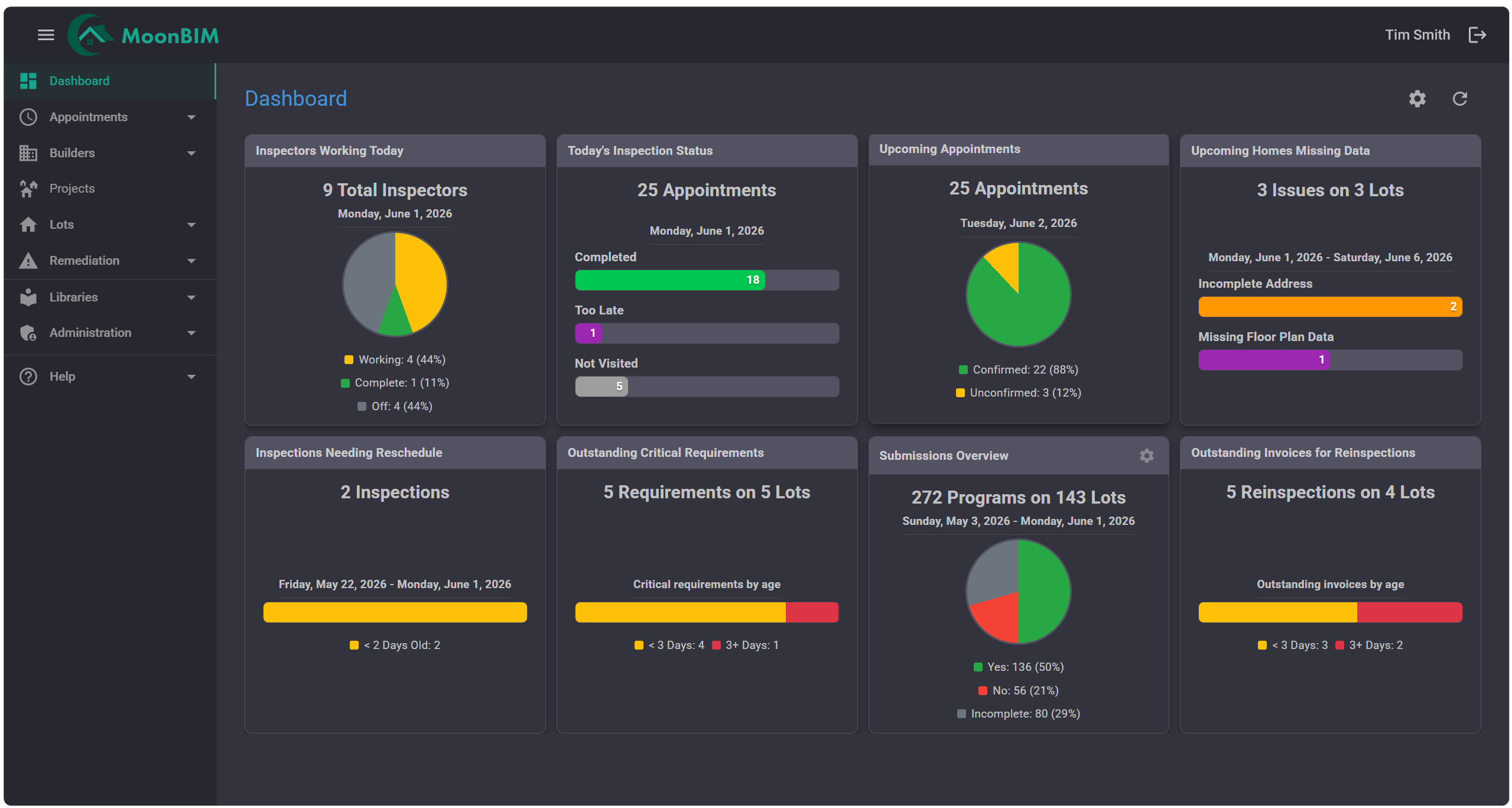
Stop hunting for status updates. MoonBIM’s live dashboard surfaces project health, outstanding tasks, and critical metrics the moment you log in—so your whole team can act instead of search.
What you get
Everything on one screen
No more tab-switching, spreadsheet hunting, or morning status emails.
Key Metrics at a Glance
Inspections scheduled, completed, overdue, and pending—pinned exactly where you need them, visible the instant you open the app.
Outstanding Task Tracking
Action items surface automatically so nothing slips through the cracks. Every task is visible to the right person, every time.
Project Health Indicators
Color-coded status tiles let you assess dozens of projects instantly—green, amber, or red—so you spend time fixing problems, not finding them.
Role-Based Views
Energy Raters and Project Managers each see a tailored dashboard with the information most relevant to their role.
One-Click Deep Dives
Tap any metric or project tile to drill down into the full detail—schedules, inspection history, inspection comments, and more.
See it live
Your team’s command center awaits
Book a 30-minute demo and we’ll walk through the Dashboard with your real projects in mind.