
Scheduling help and app guidance,
right inside MoonBIM.
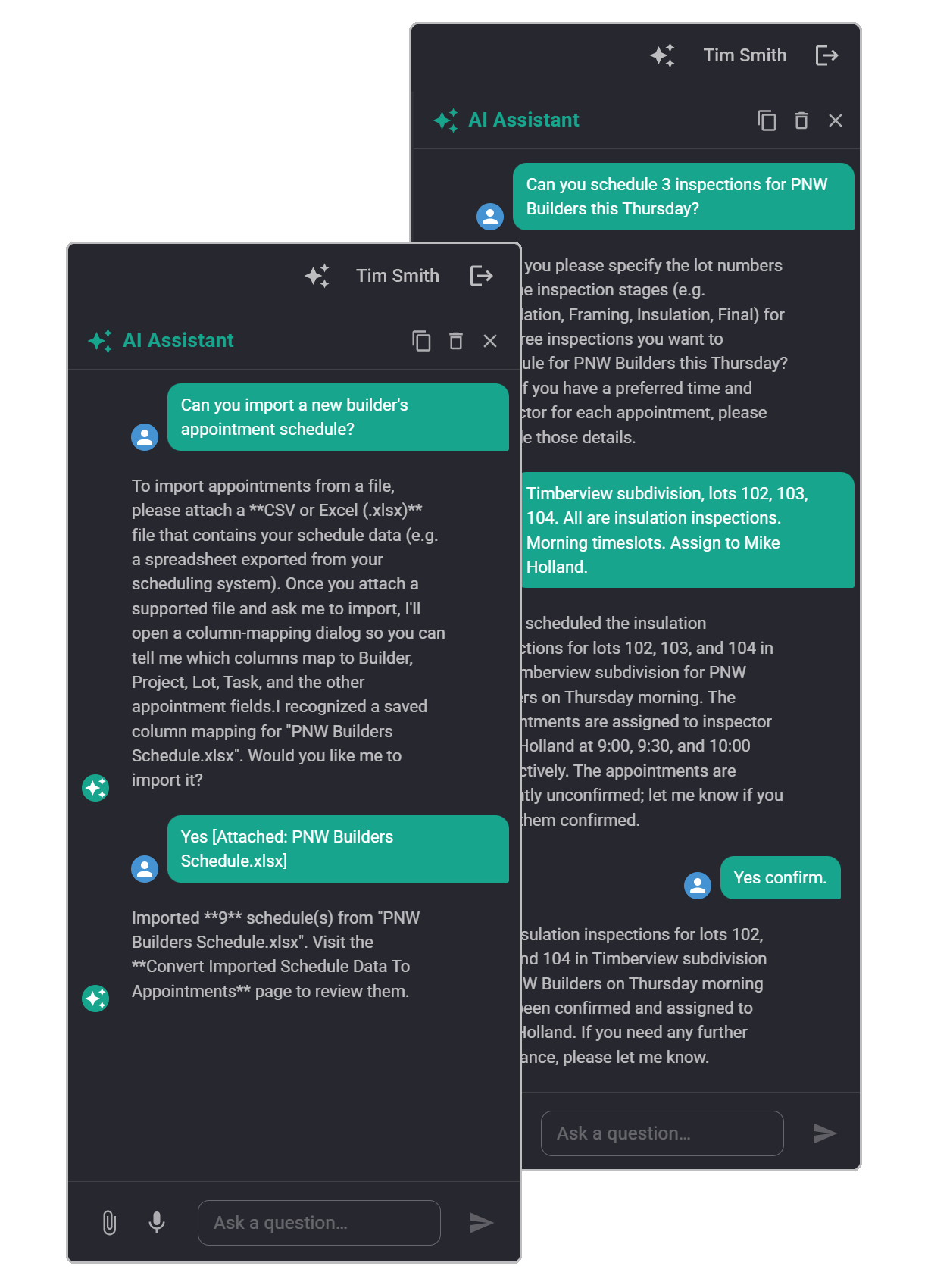
MoonBIM’s AI Assistant lives in a sidebar chat drawer, always one click away. Use it to help with scheduling tasks, import inspection schedules from builder-provided worksheets, or get guidance on navigating the MoonBIM platform—without switching apps or waiting for support.
What you get
Your scheduling and navigation assistant
No extra tab. No separate software. Just help, right where your team is already working.
Scheduling Assistance
Ask the AI to help assign inspections, resolve scheduling conflicts, or optimize your team’s calendar—all through a simple conversation.
Worksheet Import
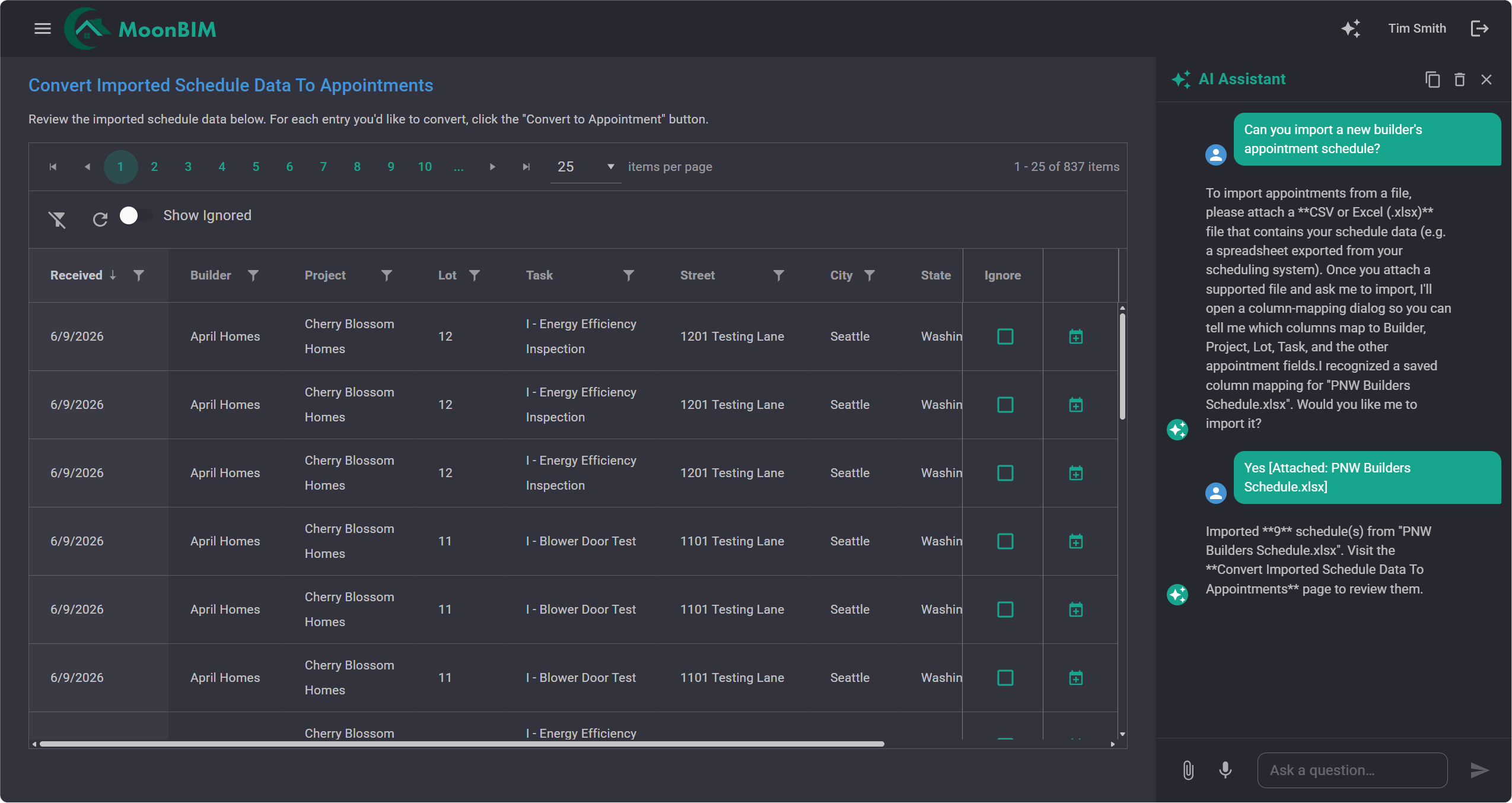
Upload a scheduling worksheet from a builder and let the AI understand the structure, map the data, and import inspection requests into MoonBIM with minimal manual effort.
App Navigation Help
Not sure where a setting is or how to complete a task? Ask the AI and get step-by-step guidance on navigating MoonBIM’s features and pages.
Always in the Sidebar
The chat drawer slides open from any page in MoonBIM. Your team never loses their place—ask a question and keep working.
Conversational Follow-Ups
The AI maintains context across multiple messages, so you can refine requests or ask follow-up questions without repeating yourself.
Available to Every Role
Schedulers, Energy Raters, Inspectors, and Project Managers all have access to the AI Assistant from their respective views.
How it works
One click. Immediate help.
The AI Assistant drawer is designed to feel native to MoonBIM. Use it for scheduling tasks, importing builder worksheets, or finding your way around the app.
-
Open the drawer
Click the AI icon from any page in MoonBIM. The chat drawer slides open without disrupting your workflow.
-
Describe what you need
Ask for help scheduling inspections, upload a builder’s worksheet to import, or ask how to navigate to a specific feature in MoonBIM.
-
Get actionable help
The AI responds in seconds with guidance you can act on immediately. Keep the conversation going or close the drawer and continue your work.
See it in action
AI assistance for your whole team
Book a 30-minute demo and we’ll show you how the AI Assistant helps with scheduling, worksheet imports, and platform navigation.